
Notice: Undefined index: filter in /home/fxcbmuxphhyx/public_html/staging.projectpro365.com/product-updates/release-november-v2-2025.php on line 50
Notice: Undefined index: filter in /home/fxcbmuxphhyx/public_html/staging.projectpro365.com/product-updates/release-november-v2-2025.php on line 59
New Releases in this Updates
| Update ID | Type | Title | Functional Area |
|---|---|---|---|
| PE-721 | New Feature | Enhance View for Work Order Projects and Introduce a New Role Center |
ProjectPro Basics |
| PE-735 | Enhancement | Reversal of General Ledger Entries not associated with Project Ledger Entries |
ProjectPro Basics |
| PE-748 | Enhancement | Draws in Bank Deposit |
Account Receivables |
| PE-753 | Enhancement | Pay When Paid – Update Due Dates Batch |
ProjectPro Basics |
| PE-768 | Enhancement | Default Project Code on Subcontract when Created from Projects List |
Subcontracts |
| PRJCTPR-526 | Improvement | Open Project Backlog Batch to Update Project Card |
ProjectPro Basics |
| PRJCTPR-536 | Improvement | Subcontract Commitment Line Description to PO |
Subcontracts |
| PRJCTPR-540 | Improvement | Unit Price on Planning Lines from Markup in Quote Lines |
Project Quote |
| PRJCTPR-541 | Improvement | Tooltip for Auto Lock Planning Lines on Projects Setup |
ProjectPro Basics |
| PRJCTPR-544 | Improvement | Length of "Description" on Subcontracts List |
Subcontracts |
Note: Details are given below in “Release Note Details”.
Release Note Details
PE-721
New Feature – Enhance View for Work Order Projects and Introduce a New Role Center
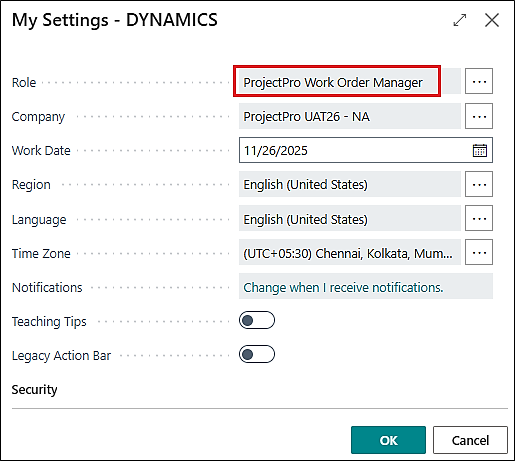
A new role center, “ProjectPro Work Order Manager,” has been created for managing work orders.
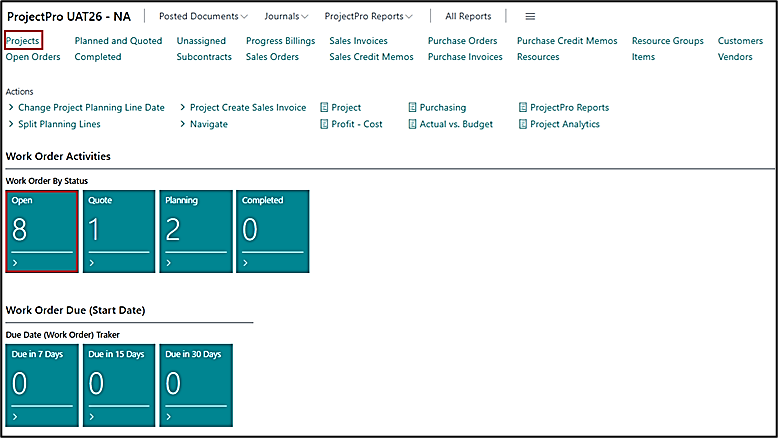
Here, when you click on “Projects” from the role center, the system will take you to the Projects list filtered with “Project Class = Work Order.”
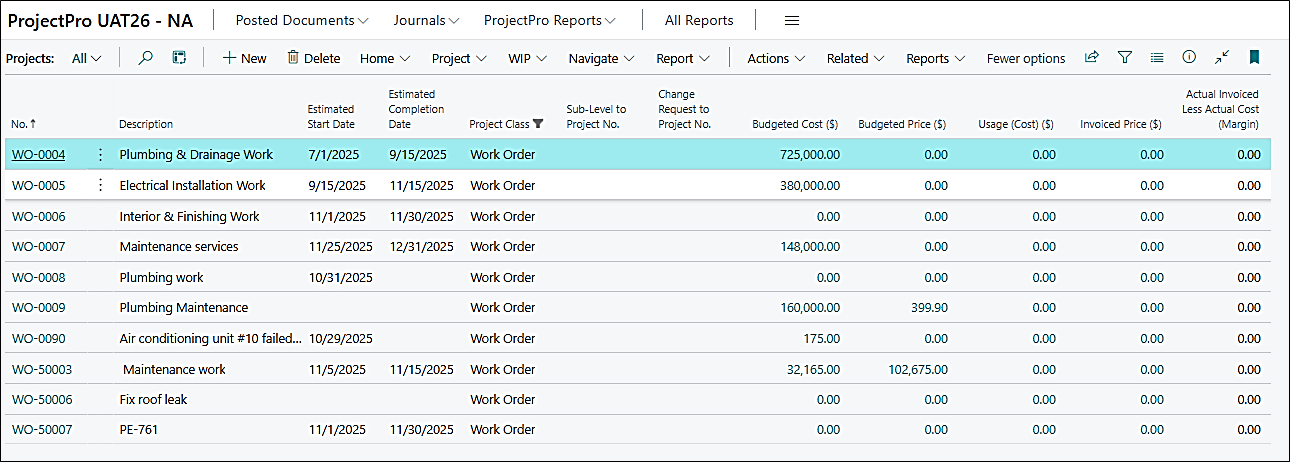
When clicking on “Open” from the “Work Order by Status” cues, a new page, “Project Work Order List” will open showing all the Open Work Orders with required details.
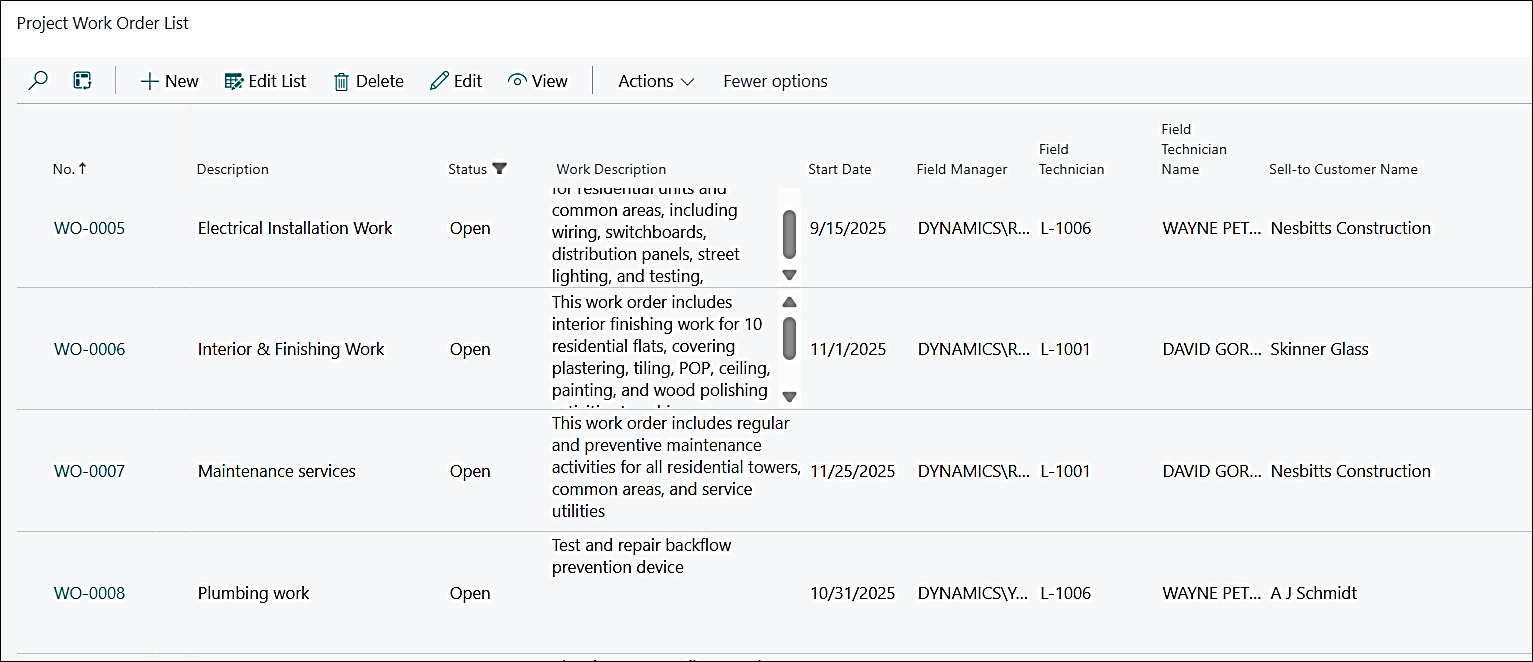
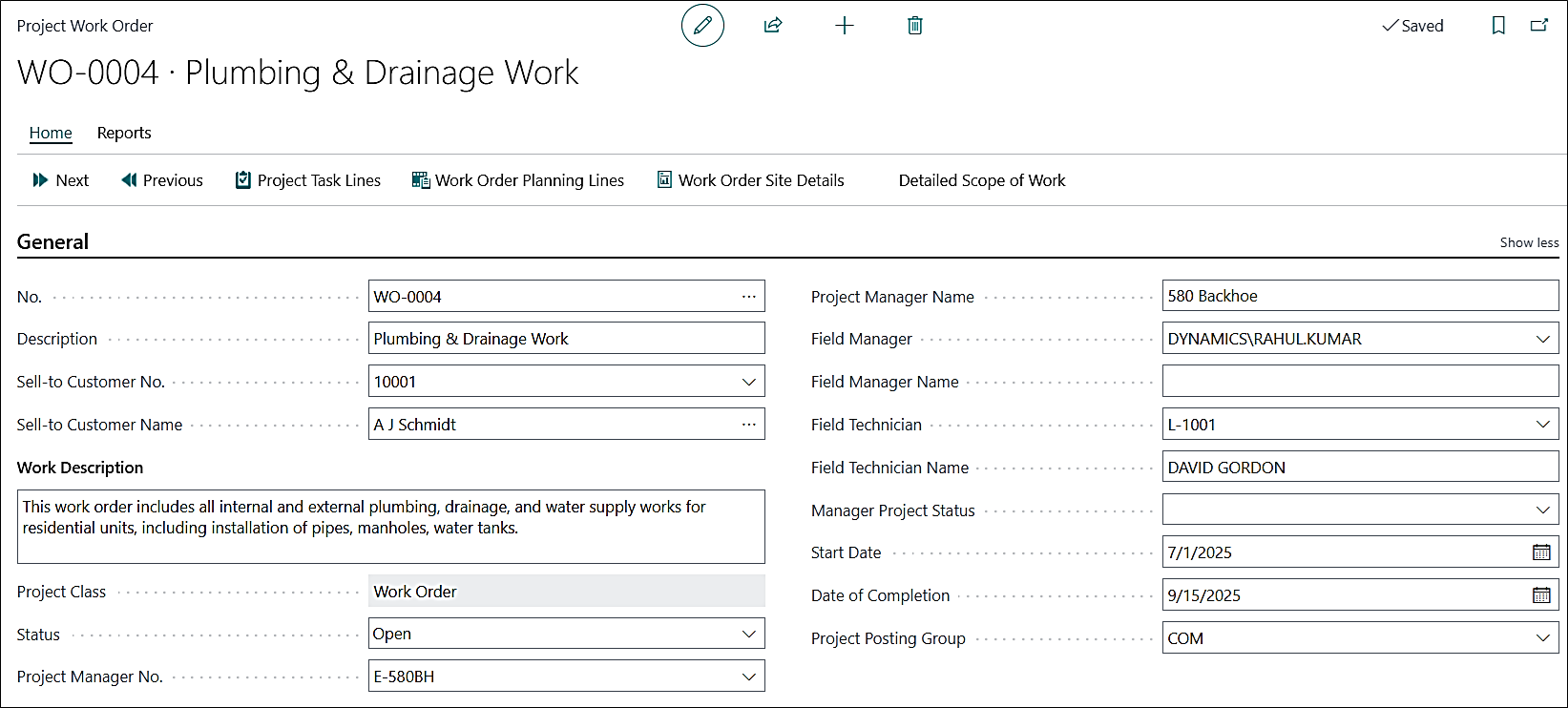
A new customized Project Work Order page has been created with limited and required fields for a work order project. Click on the “Edit” or “View” options from the ribbon in the above screenshot to open the work order page.
A new fast tab “Work Order” has been created on the Field Management Setup, which has new options to set the “Work Order No. Series” and “Default Work Order Posting Group”

PE-735
Enhancement – Reversal of General Ledger Entries not associated with Project Ledger Entries
The system now allows you to perform the “Reverse Transaction” process on general ledger entries that are not linked with any project ledger entries. This is precisely the case where the ProjectPro process is used to create a GLE with Project No., but no Project Ledger Entry is created. This will also check the entries when one of the settings/templates/batches listed below is used in the Projects Setup.
| PROJECTS SETUP FAST TABS | PROJECTS SETUP FIELDS |
|---|---|
|
General Labor to G/L Labor to G/L Revenue Recognition Revenue Recognition Revenue Recognition |
Received Accrual Batch Name Labor G/L Journal Template Labor G/L Journal Batch Rev. Rec. G/L Journal Template Rev. Rec. G/L Journal Batch Rev. Rec. Batch No. Series |
PE-748
Enhancement – Draws in Bank Deposit
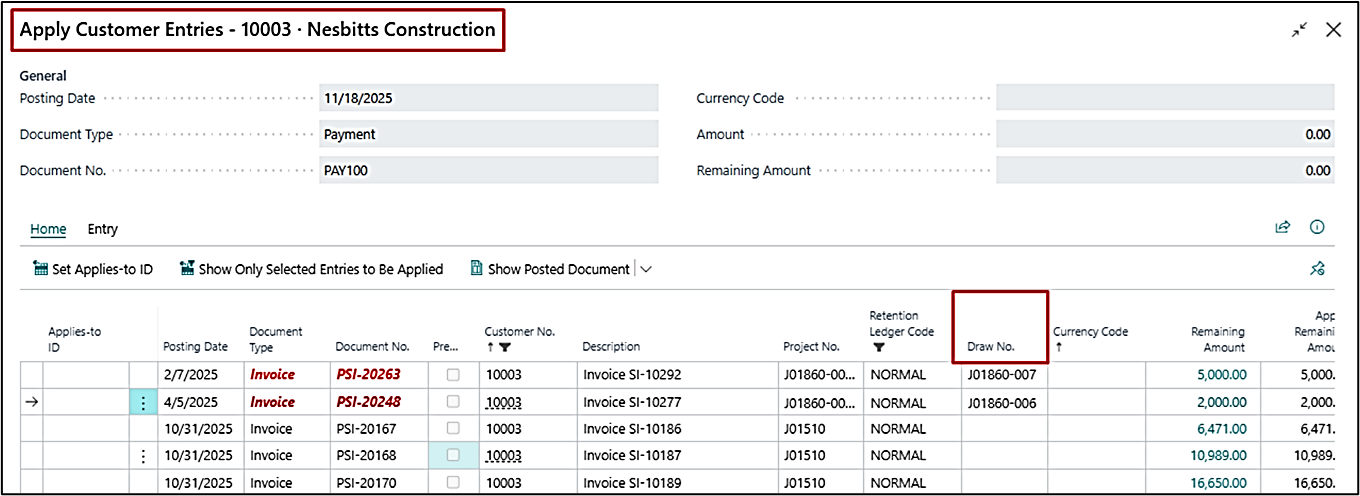
Previously, Draw No. was unavailable on the Bank Deposits when clicked on “Apply Entries”, which made it difficult to filter or apply receipts to invoices associated with a specific draw. So, the Draw No. is made visible while applying entries, allowing you to easily filter and accurately apply receipts to draw-specific invoices.
PE-753
Enhancement – Pay When Paid – Update Due Dates Batch
A new setting, “Modify Pay When Paid on Customer Ledger Entries”, has been added to the User Setup.
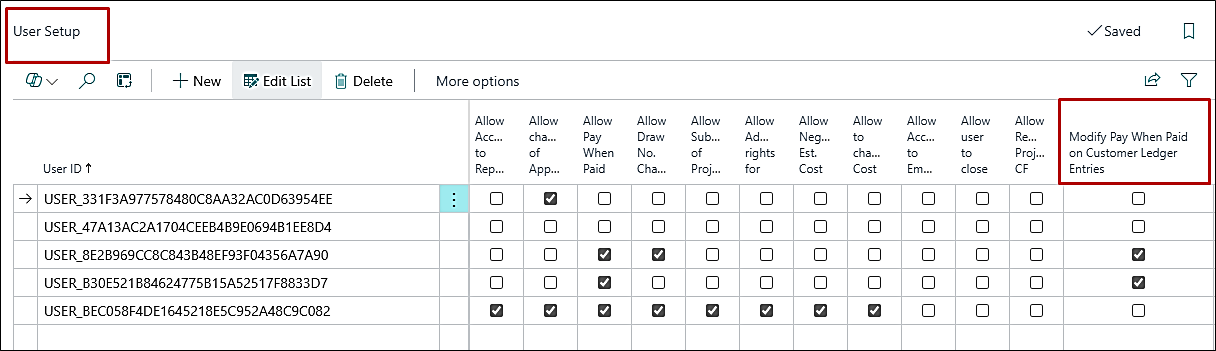
This setting controls whether the “Pay-When-Paid” field on CLEs is editable or non-editable. With this permission, you can now update the field when required and rerun the process for the pending Vendor Ledger Entries.
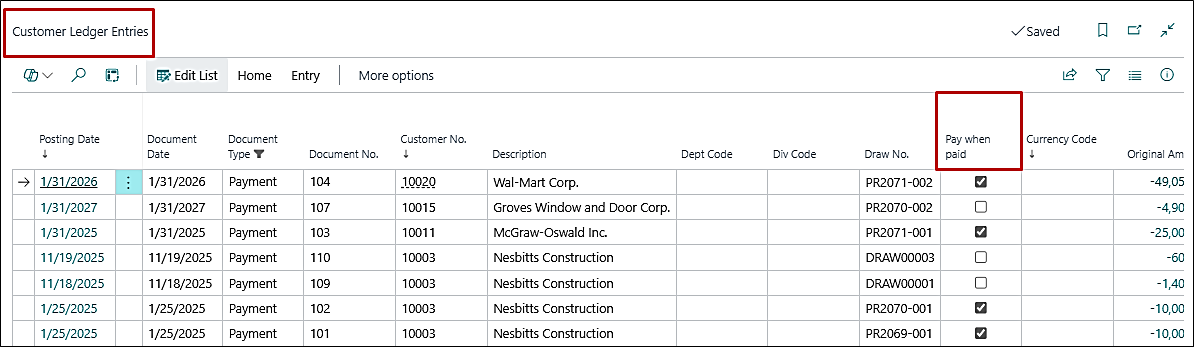
The corresponding tooltips in the batch have also been updated to clearly reflect this logic.
Notice: Undefined index: filter in /home/fxcbmuxphhyx/public_html/staging.projectpro365.com/product-updates/release-november-v2-2025.php on line 273
PE-768
Enhancement – Default Project Code on Subcontract when Created from Projects List
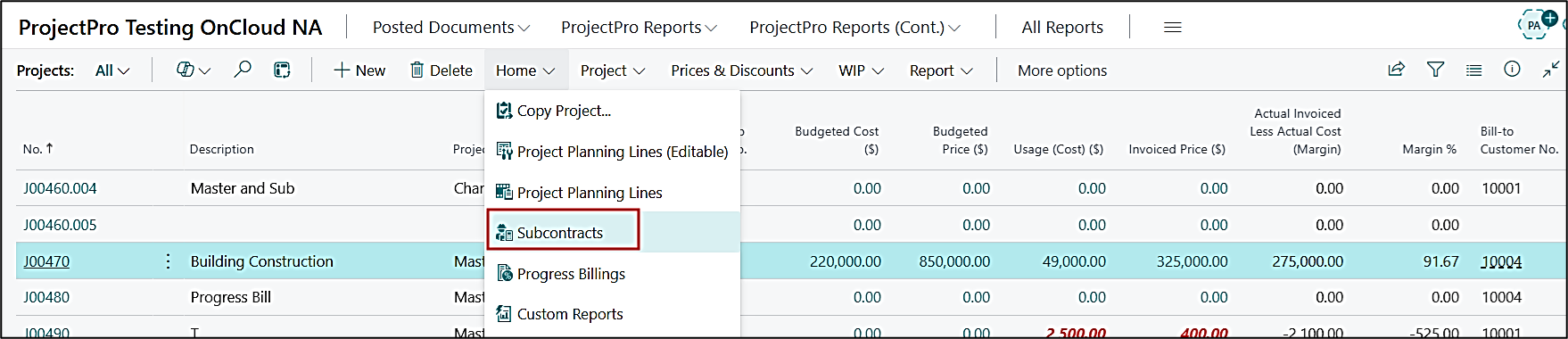
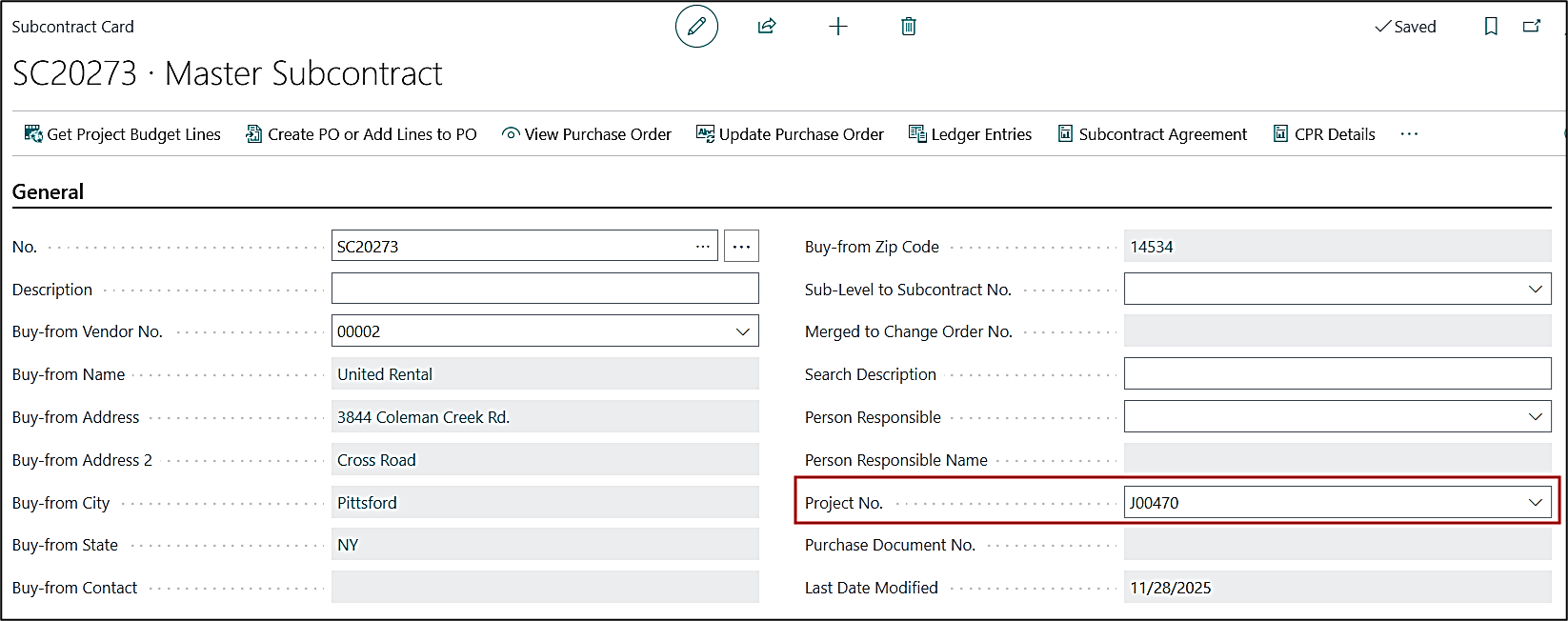
The “Project No.” now gets defaulted to the Subcontract card on the General fast tab when created from the Projects List.
PRJCTPR-526
Enhancement – Open Project Backlog Batch to Update Project Card
The “Calculate Open Project Backlog” batch in the Search option and the “Run Open Backlog Batch” present on the Project card perform the same calculations and update the backlog Boolean on the project card.
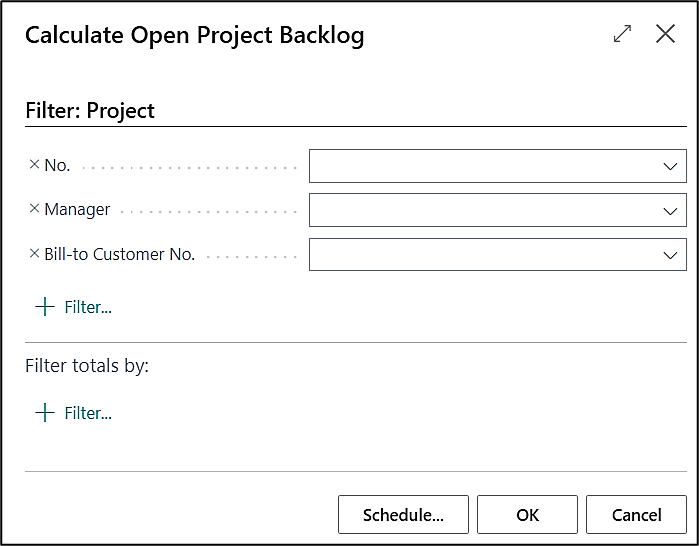
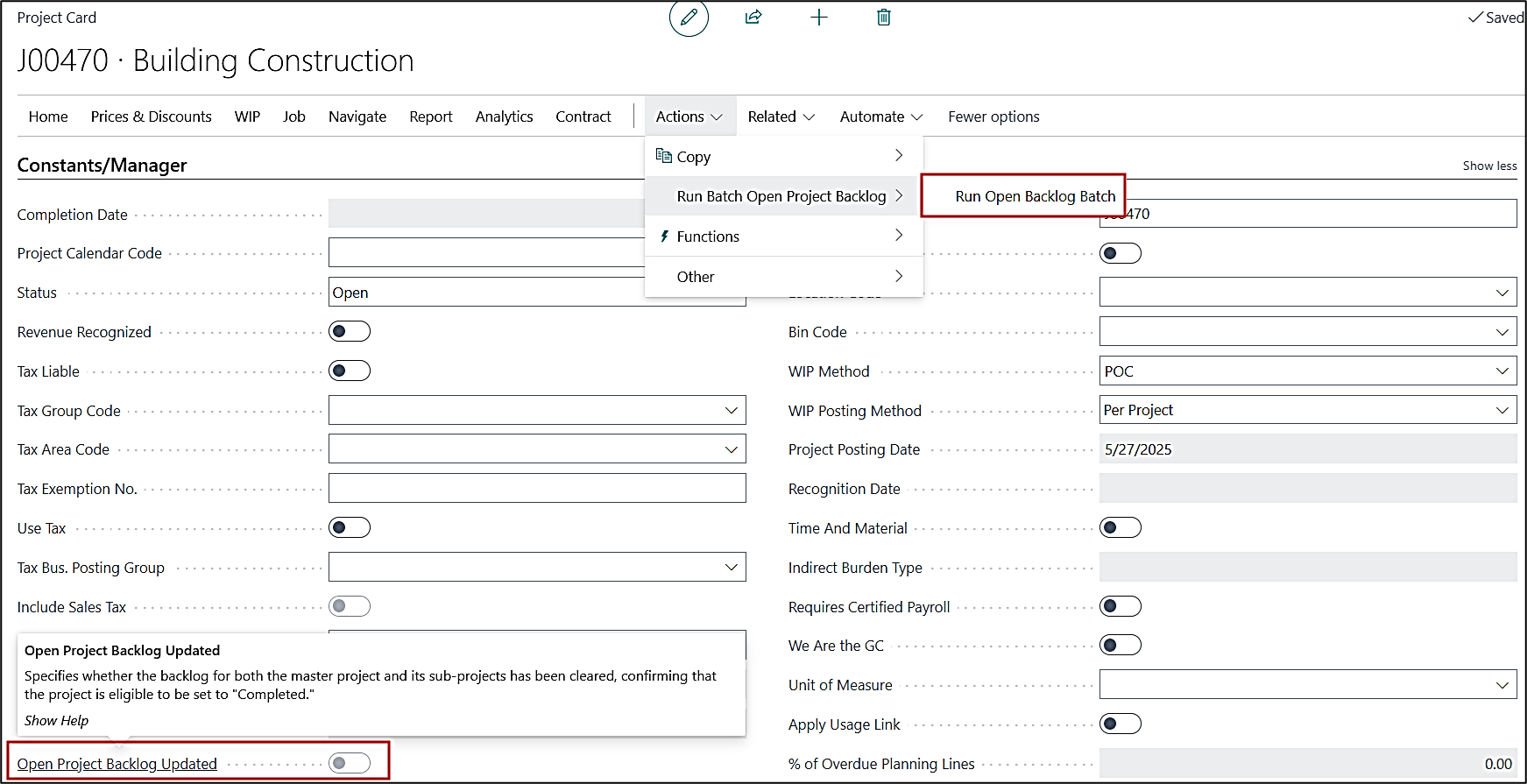
Additionally, the tooltip for the “Open Project Backlog Updated” Boolean on the project card is also updated.
PRJCTPR-536
Enhancement – Subcontract Commitment Line Description to PO
Earlier, when the Description was updated on the Subcontract Card, and the “Update Purchase Order” function was used, the Subcontract Commitment Line Description was overwritten with the G/L Account Name instead of the updated description.
Now, the updated Subcontract Card Description is retained correctly, and when the “Update Purchase Order” is selected, the Subcontract Commitment Line Description updates as expected without being overwritten by the G/L Account Name.
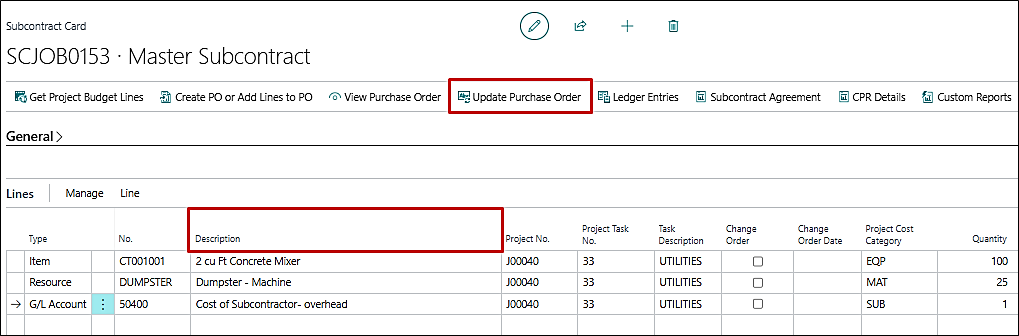
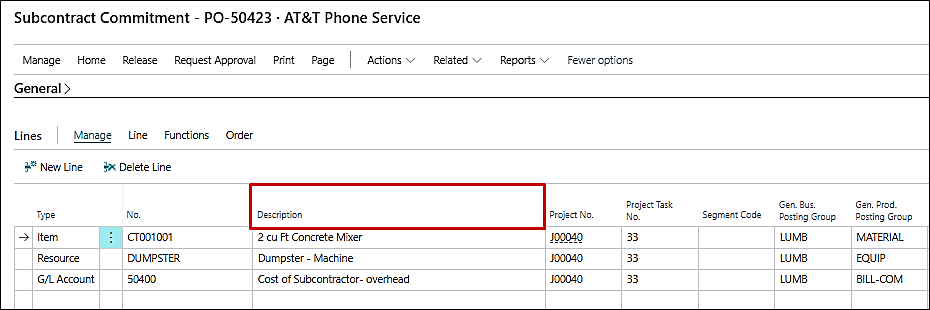
Additionally, the tooltip for the “Open Project Backlog Updated” Boolean on the project card is also updated.
PRJCTPR-540
Enhancement – Unit Price on Planning Lines from Markup in Quote Lines
When a Markup is applied to a Quote Line, the Unit Price on the Quote Line now correctly updates, and the corresponding Planning Line also reflects the updated Unit Price. The mismatch issue is resolved.
PRJCTPR-541
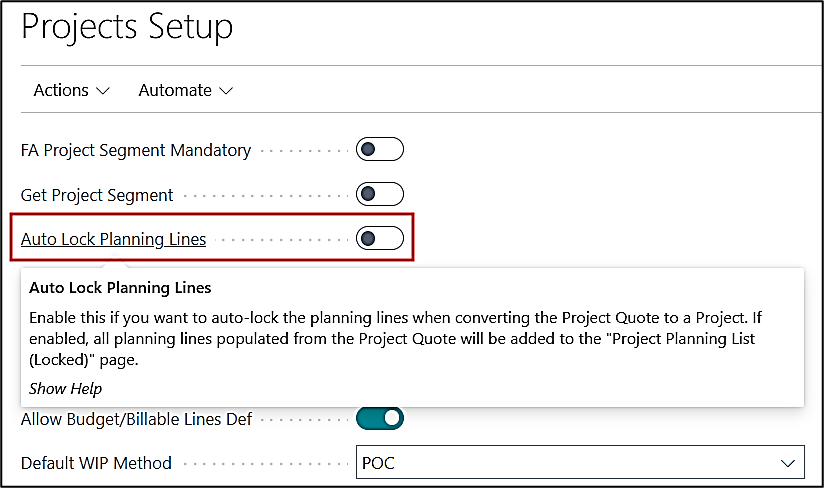
Hot Fix – Tooltip for Auto Lock Planning Lines on Projects Setup
The tooltip for the "Auto Lock Planning Line" field on Project Setup has been updated.
PRJCTPR-544
Enhancement – Length of "Description" on Subcontracts List
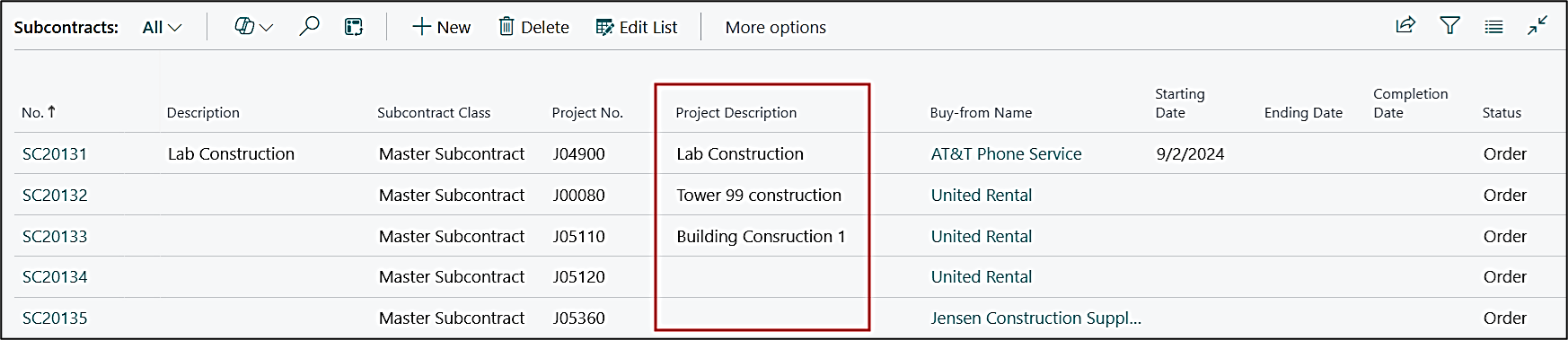
The character length of the “Description” field on the Subcontract card has been made compatible. Also, the Project Description on the Subcontracts List is now populated from the project card.