
New Releases in this Updates
| Update ID | Type | Title | Functional Area |
|---|---|---|---|
| 1081 | New Feature |
PMP in case when Reordering Policy is Lot-for-Lot |
Project Material Planning |
| 1290 | New Feature |
"Acceptance" on Quote Report to Flow from the Standard Text Code |
Project Quoting |
| 1373 | New Feature |
Add "Scope of Work" on Subcontracts and on the Subcontract Agreement Report |
Subcontracts |
| 1483 | Enhancement |
Subcontracts Workflow - Change of Status to Completed |
Project Workflows(Dependency App |
| 1480 | New Feature |
Project Workflow to Run on "Planning" |
Project Workflows(Dependency App) |
| 1527 | Enhancement |
New Enhancement for Work Order Report |
ProjectPro Basics |
| 1516 | Enhancement |
PPI Create Corrective Credit Memo without Project - V27 |
Account Payables (Dependency App) |
| 1533 | New Feature |
Aged Accounts Receivable ProjectPro Reports - Add Project Filter |
Reports |
| 1645 | Enhancement |
Subcontract Agreement - Currency Sign from General Ledger Setup |
Subcontracts |
| 1737 | Enhancement |
Project Cash Flow (PH-1) - Additional Enhancements |
ProjectPro Basics |
| 1796 | New Feature |
OPS Manager Report - Add New Sections |
ProjectPro Basics |
| 1789 | New Feature |
Flow of "Project Task Type" and "Totaling" to Project Task Lines from Project Activities/Process/Operations/Section |
ProjectPro Basics |
| 1964 | Enhancement |
PO with "Usage Link" and "Location" Impact on Project Planning Lines |
Time and Material |
| 1987 | Enhancement |
Retention Reduction & Invoicing with Foreign Currency |
Progress Billings |
| 2132 | Enhancement |
Tooltip Update for Create Rev Rec Batch |
Revenue Recognition |
| 1652 | Hot Fix |
Retention Balance (LCY) on Vendor Card |
Account Payables |
| 440 | Improvement |
PMP PO Qty Rcvd and PO Qty Staged filter |
Project Material Planning |
| 1799 | Improvement |
Sales Invoice - Project Address Name using “Project Address” Option |
Account Receivables |
| 1828 | Improvement |
Sales Invoice via Progress Billing – Project Address Behavior |
Progress Billings |
| 1242 | Improvement |
Rev Rec - Dimensions Missing in Over/Under Billing Gen Journal Transaction |
Revenue Recognition |
| 1794 | Improvement |
Aged Accounts Receivable by Project Report - Excel Layout |
Reports |
| 1911 | Improvement |
Labor to G/L Batch Prevents Posting of Purchase Document with Negative Line |
ProjectPro Basics |
| 1694 | Improvement |
Subcontract Commitment - "Qty. to Invoice" Cleared and Non-Editable after Receiving |
Subcontracts |
| 1971 | Hot Fix |
PO Posting with 0 Cost in Project Ledger |
Account Payables |
| 2020 | Improvement |
Progress Payment Lines Description Blank for Existing Records |
Subcontracts |
| 2051 | Improvement |
Page Close Conflict when Enabling Retention Document on Purchase Invoice – V27 |
Account Payables |
| 2054 | Improvement |
Progress Billing Posted Sales Invoice No. Series |
Progress Billings |
Note: Details are given below in “Release Note Details”.
Release Note Details
ADO-1081
New Feature – PMP in case when Reordering Policy is Lot-for-Lot
The Project Material Planning process now considers the Reordering Policy when set to Lot-for-Lot, even when the “Use Project Demand Only” is enabled.
Which means that if the Order Multiple is 1 and you try to order 10.5, it rounds the PO up to 11.
ADO-1290
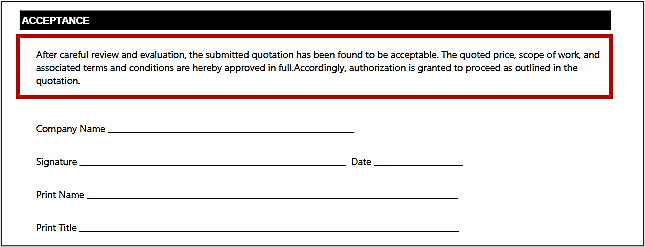
New Feature – "Acceptance" on the Quote Report to Flow from the “Standard Text Code”
The “Acceptance” on all the Quote Reports now flows from the “Standard Text Code”.
- Define the Text to be printed under Acceptance on the Standard Text Code page.
- On the Standard Text Code page, create a new code, and click on “Extended Text” to define the text.
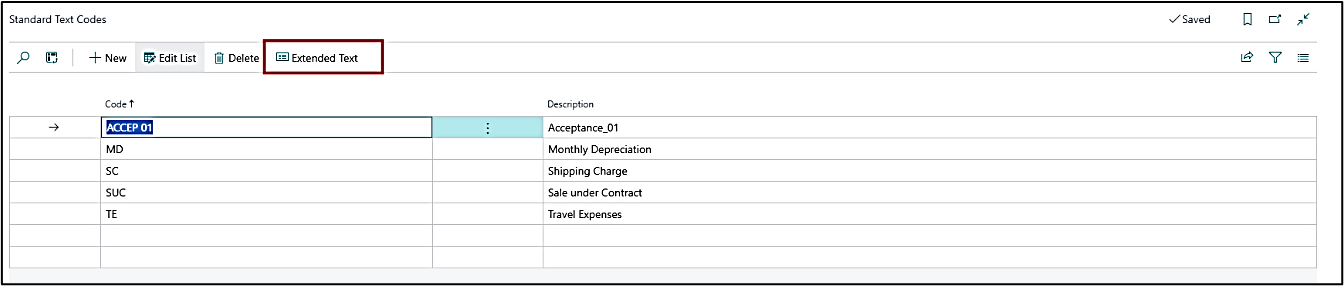
- On the report request pages, a new field has been created as “Acceptance”.
- In the drop-down, all the codes created on the “Standard Text Code” page appear.
- Select the code to be printed on the report.
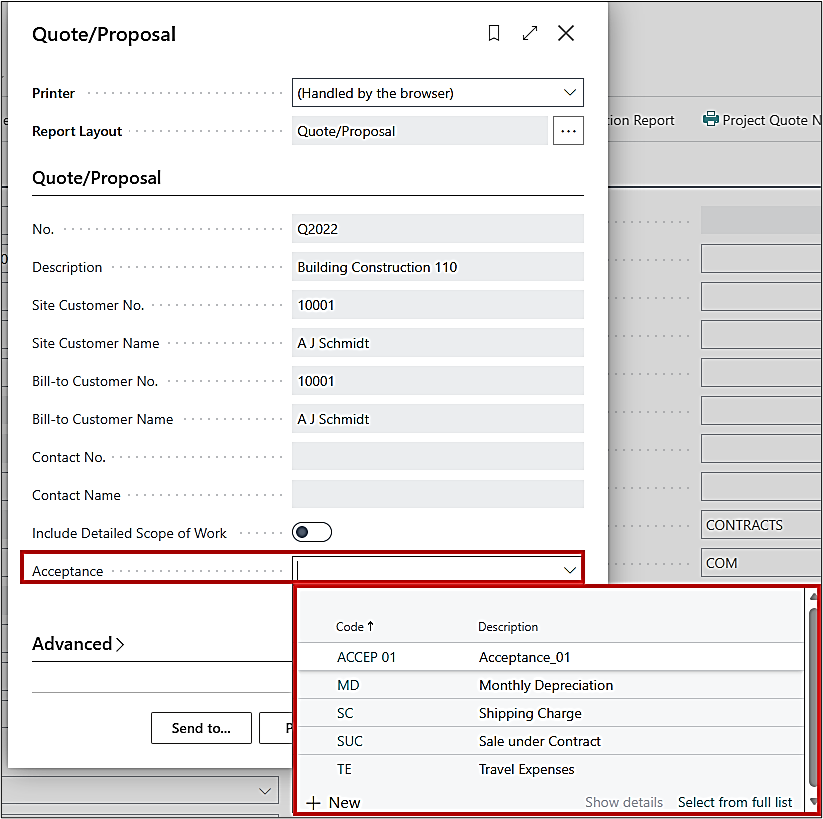
- The said text gets printed on the report:
ADO-1373
New Feature – Add "Scope of Work" on Subcontracts and on the Subcontract Agreement Report
The previous release (26.0.19.34832) did not fully update. This build is being re-released to address them:
-
1. Detailed Scope of Work on Subcontract Card
Updates made using the Detailed Scope of Work action button on the Subcontract Card were not reflected in the Detailed Scope of Work Fast Tab.
-
2. Label in Subcontract Agreement Report
The word “Include” now appears correctly instead of “Print” when running the Subcontract Agreement Report.
-
3. Excessive Spacing in Detailed Scope of Work Section
The Subcontract Agreement Report contained unnecessary blank space in the Detailed Scope of Work section.
ADO-1483 (Dependency App)
Enhancement – Subcontracts Workflow - Change of Status to Completed
This is available in the ProjectPro Workflow Dependency App 27.0.1.42879 (NA).
The user can now change the status to “Completed” on an approved subcontract.
ADO-1480 (Dependency App)
New Feature – Project Workflow to Run on "Planning" Status
This is available in the ProjectPro Workflow Dependency App 27.0.1.42879 (NA).
Project Workflow can also be run based on the status “Planning”.
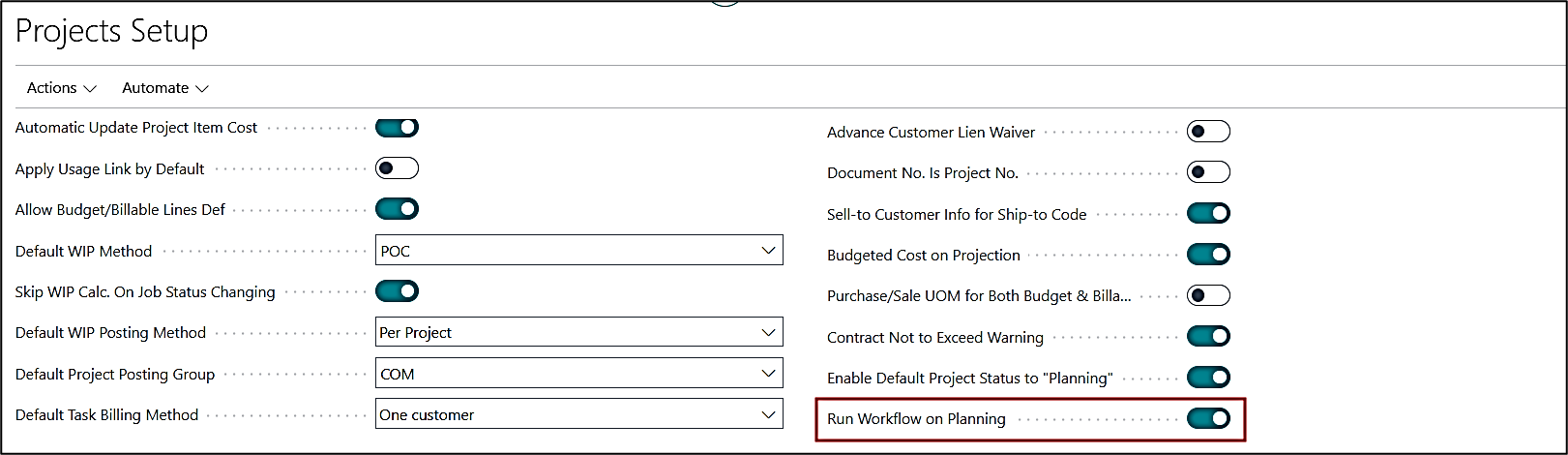
A new Boolean has been added to Project Setup under the General Fast Tab, "Run Workflow on Planning". When enabled, the workflow will run when the status is “Planning”.
When "Send to Approval" is selected on the project card, the system checks whether all fields marked as mandatory in the “Mandatory Fields Setup for the Project Card” have been updated.
- If yes, then approval is sent.
- If not, an error message will appear to define all the mandatory fields to send the project for approval.
Once the Project is “Approved”, the status automatically changes to “Open”.
The user can only change the status to “Completed” on an approved project.
ADO-1527
New Feature – New Enhancements to the Work Orders
- New fields have been added to the Work Order Site Details page: Skill Class, Work Type.

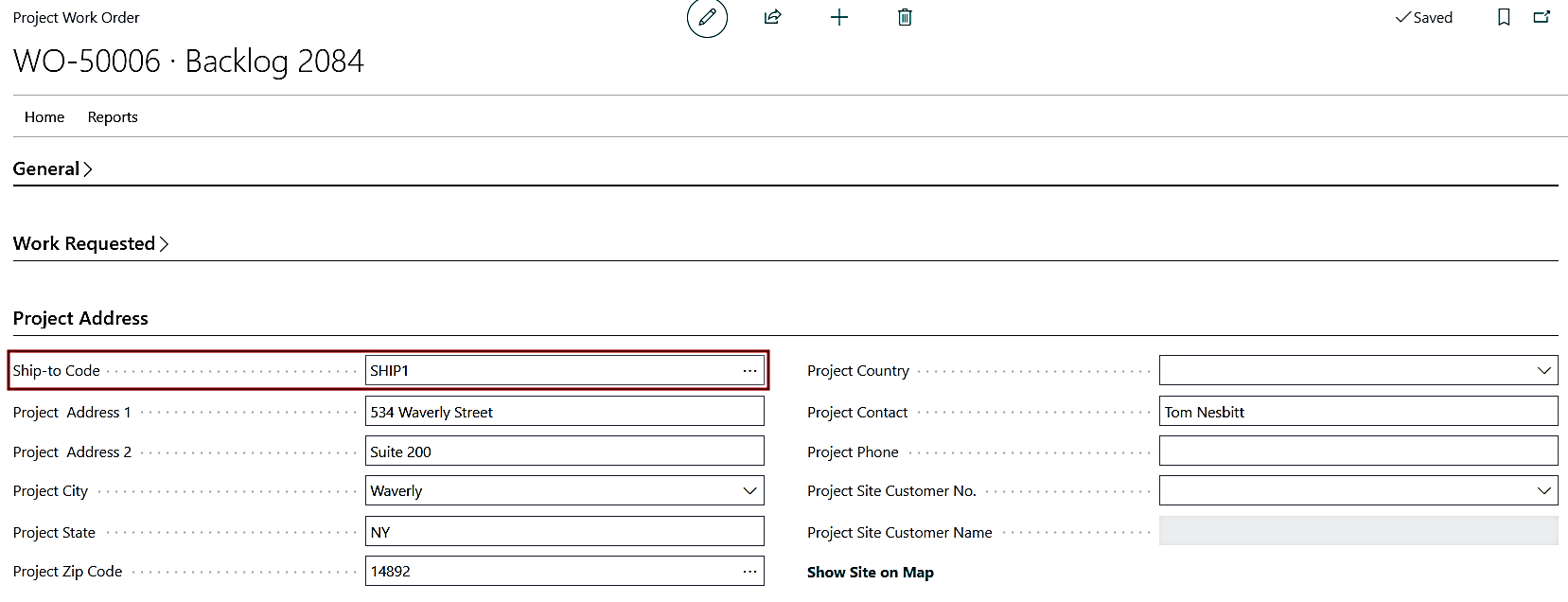
- “Ship-to Code” field has been added to the Project Address fast tab of the work order, with address auto-determination logic.
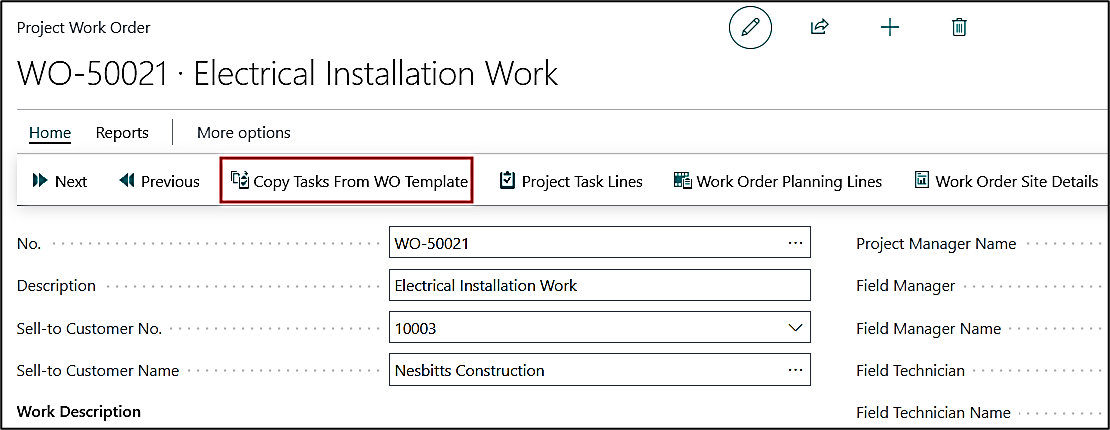
- A new function has been added, “Copy Tasks from WO Template”, which allows copying task lines from a work order template to the destination project.
ADO-1516 (Dependency App)
Enhancement – PPI Create Corrective Credit Memo without Project - V27
This is available as a separate Dependency App for users who have been moved to MS v27.
ProjectPro is compatible with the MS v27 feature, which returns the partially invoiced quantity to the PO when a credit memo is posted against it.
ADO-1533
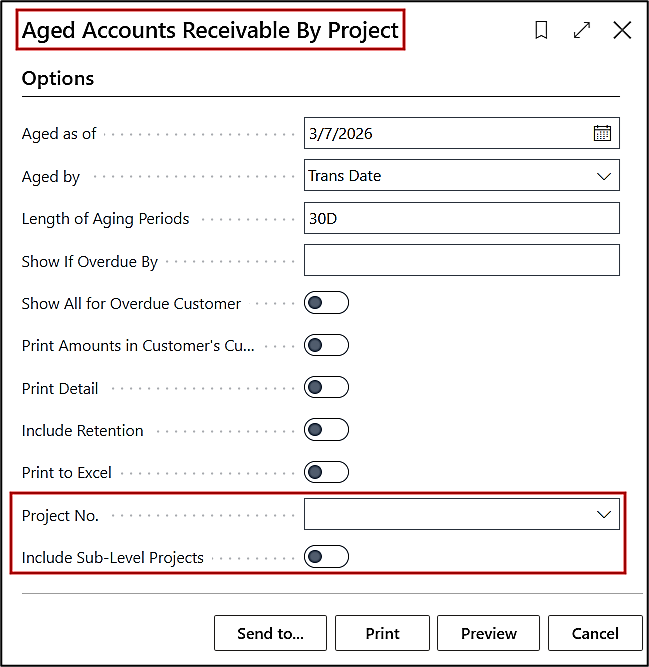
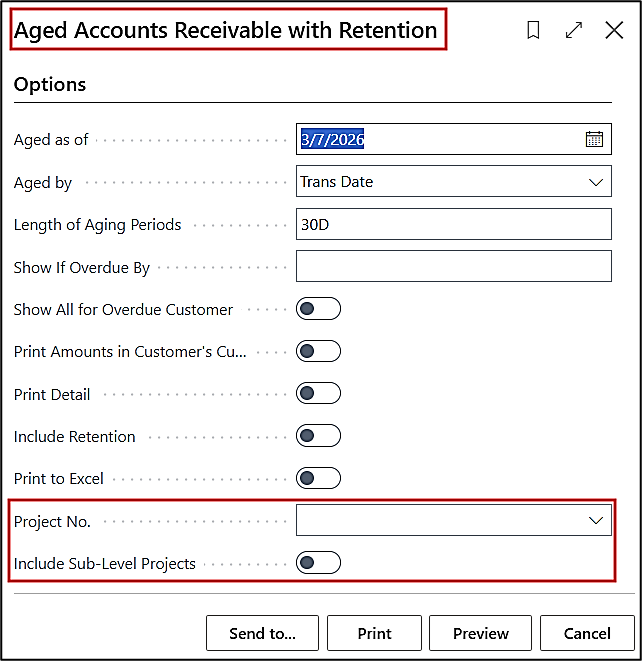
New Feature – Aged Accounts Receivable ProjectPro Reports - Add Project Filter
The two reports, “Aged Accounts Receivable by Project” and “Aged Accounts Receivable with Retention”, are now capable of filtering based on Project No. and to Include Sub-Levels.
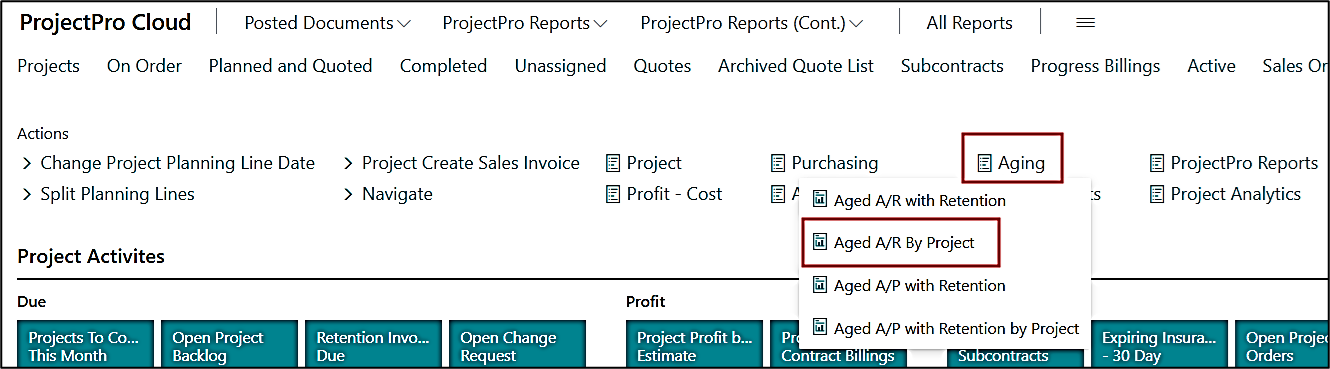
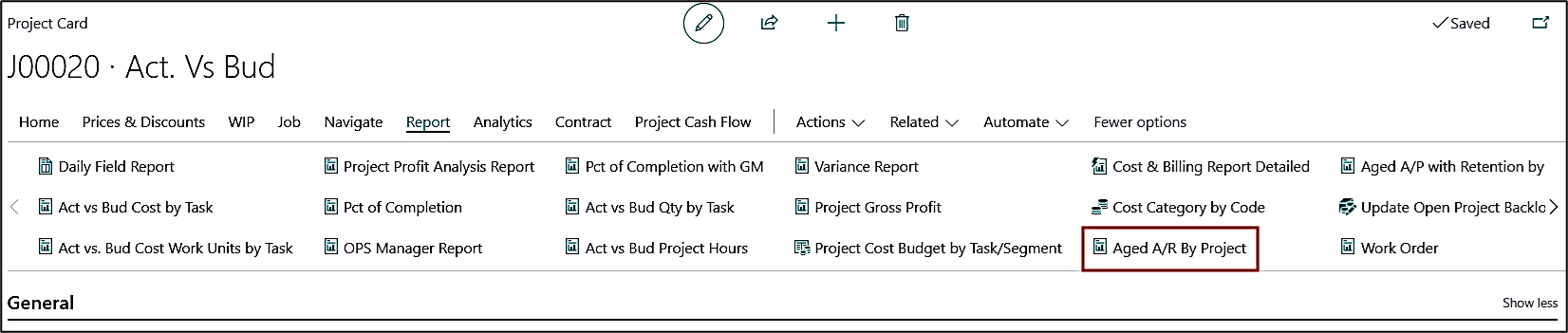
The “Aged Accounts Receivable by Project” report is also added to the “ProjectPro Manager” Role Center, and on the Project card, see below.
ADO-1645
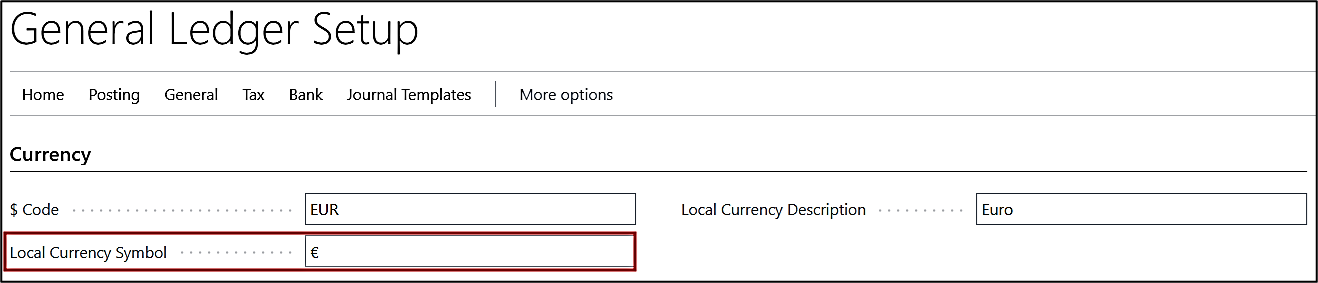
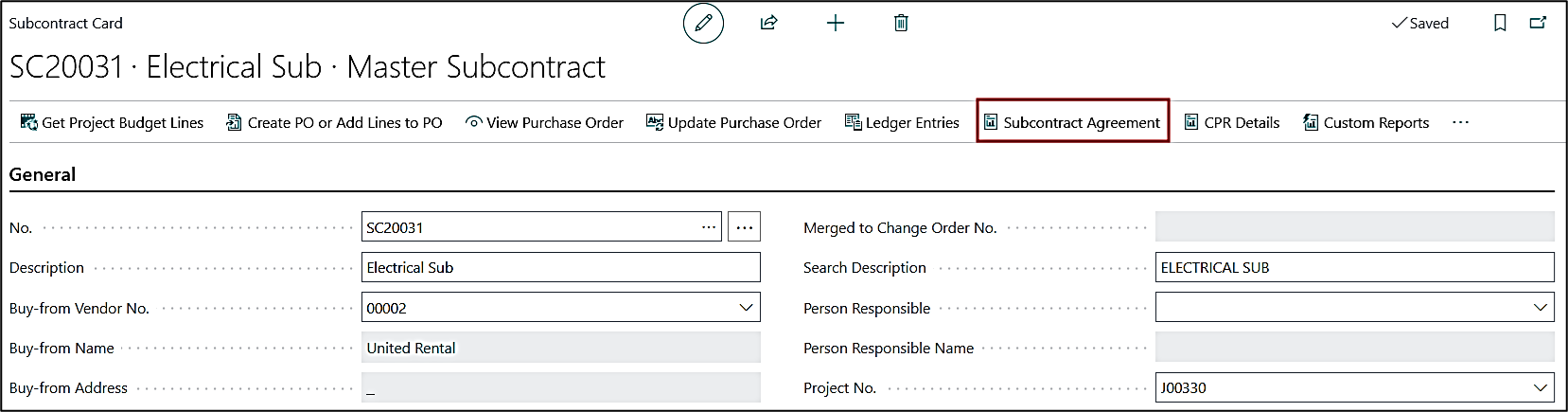
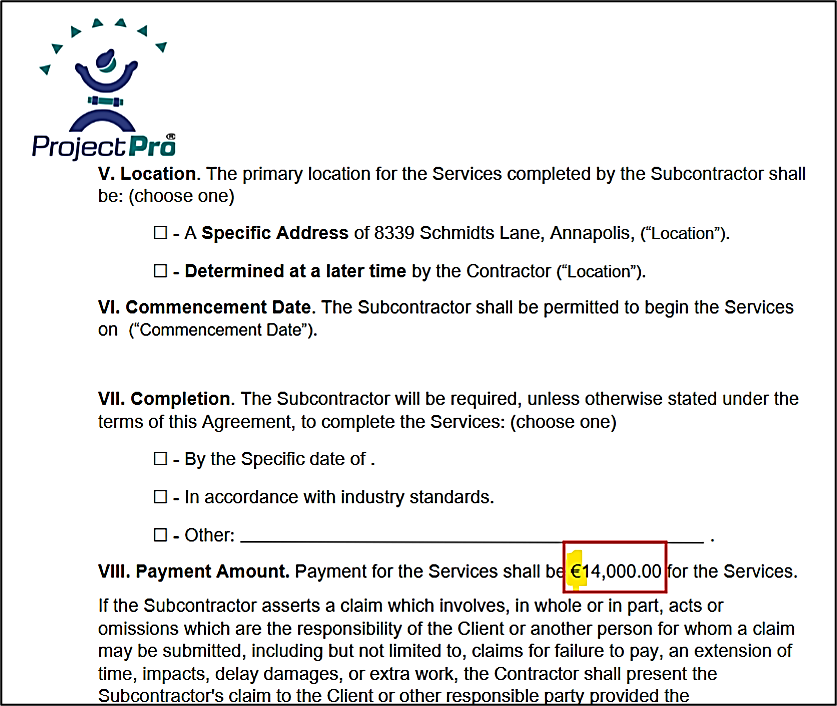
Enhancement – Subcontract Agreement - Currency Sign from General Ledger Setup
The Subcontract Agreement available on the Subcontract card now shows the Currency Sign from the General Ledger Setup instead of just “$” sign.
ADO-1584
Enhancement – Increase Length of “Created By” Field in Cash Flow Worksheet
In the Cash Flow Worksheet, the “Created By” (username) field had a character length limitation, which caused the Cash Flow Worksheet to run. The length of the field has now increased.
ADO-1737
Enhancement – Project Cash Flow (PH-1) - Additional Enhancements
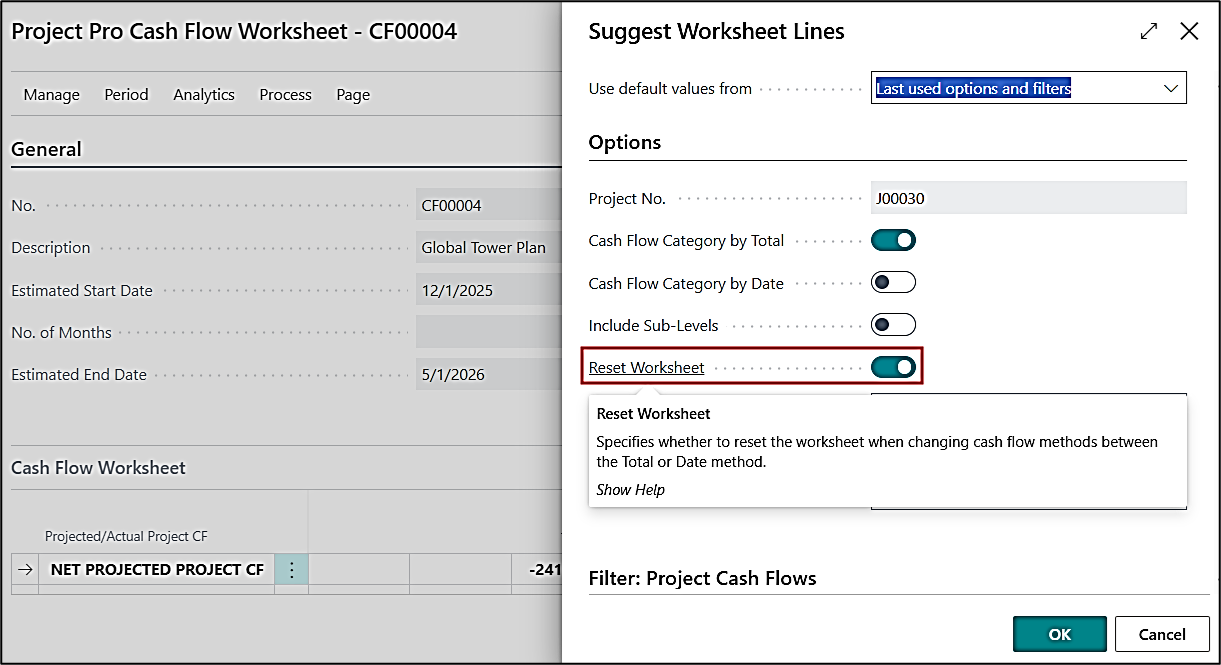
A new Boolean “Reset Worksheet” has been added to the “Suggest Worksheet Lines” on the Project Cash Flow Worksheet.
Using this option, you can reset the worksheet values when switching between the Total or Date cash flow methods, making the worksheet as new.
ADO-1796
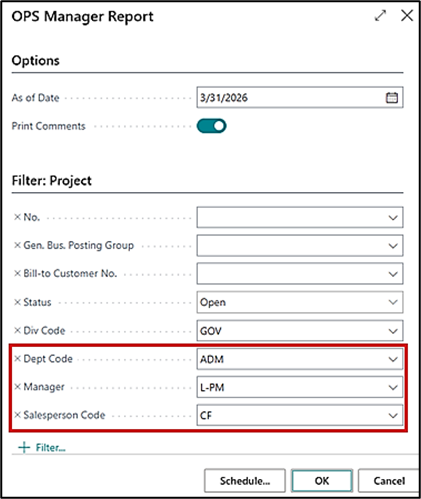
Enhancement – OPS Manager Report - Add New Sections
-
New filters have been added to the report request page.
- Global Dimension 1
- Manager
- Salesperson Code
- The report info and filters are now moved to the new sheet “Information”, on the Excel report.
ADO-1789
New Feature – Flow of "Project Task Type" and "Totaling" to Project Task Lines from Project Activities/Process/Operations/Section
The "Project Task Type" and "Totaling" columns have been added to the Operations & Sections page, like those on the Project Activities and Processes.
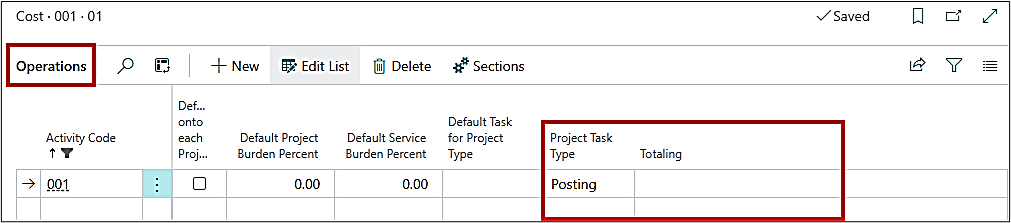
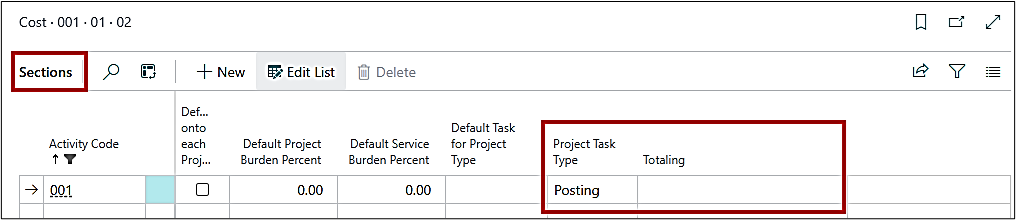
The "Project Task Type" and "Totaling" now flow to the Project Task Lines from the Project Activities/Process/Operations/Section list whichever will be the last category.
ADO-1964
Enhancement – PO with "Usage Link" and "Location" Impact on Project Planning Lines
The “Usage Link” now functions with the “Location Code” on the Project Planning Lines and Purchase Order.
ADO-1987
Enhancement – Progress Billings – Retention Reduction & Invoicing with Foreign Currency
The “Retention Reduction and Invoicing” feature now works correctly with the Foreign Currency on the Progress Billings.
ADO-2132
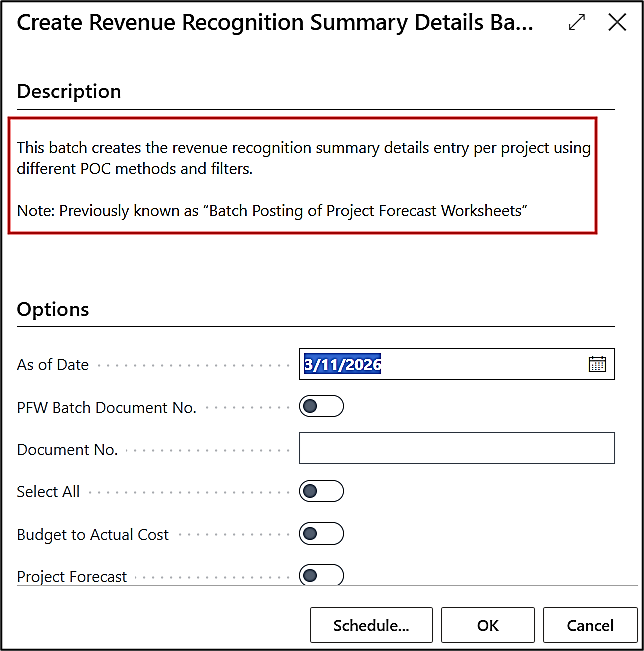
Enhancement – Tooltip Update for Create Rev Rec Batch
The tooltip for the “Create Revenue Recognition Summary Details Batch” has been updated as follows:
This batch creates the revenue recognition summary details entry per project using different POC methods and filters.
Note: Previously known as “Batch Posting of Project Forecast Worksheets”.
ADO-1652
Hot Fix – Retention Balance (LCY) on Vendor Card
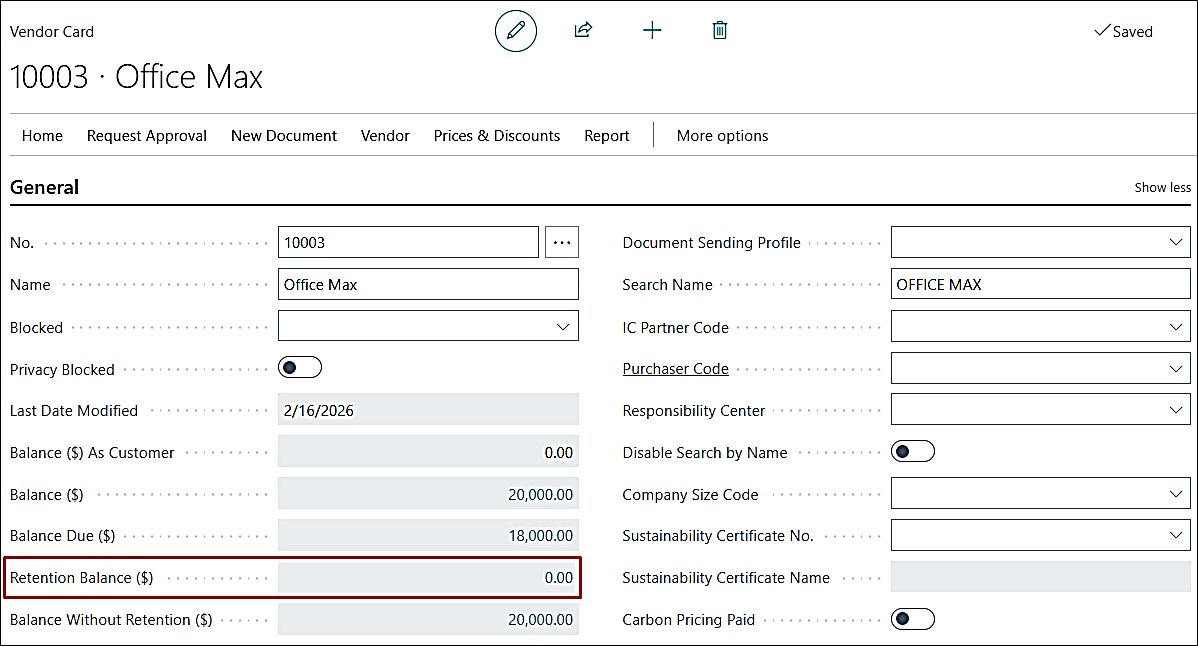
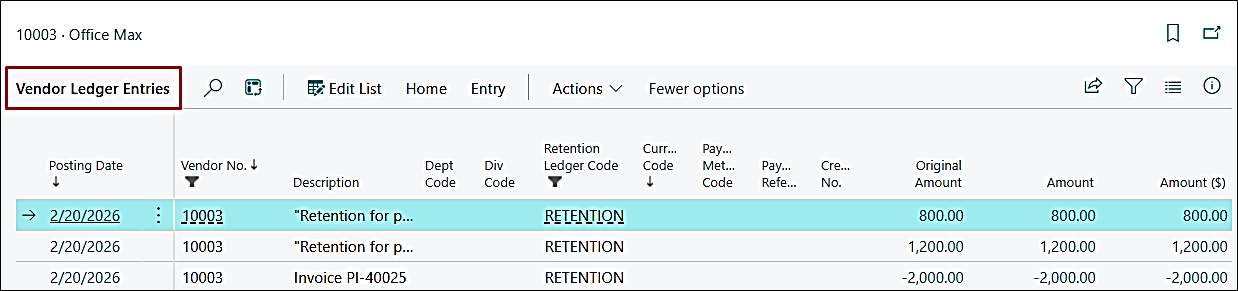
The Retention Balance ($) displayed an incorrect amount. When drilling down into ledger entries, the balance showed 0, but the field displayed a non-zero remaining amount.
The calculation logic for retention balance ($) has been corrected to align with the underlying ledger entries.
ADO-440
Improvement – PMP PO Quantity Received and PO Quantity Staged Filter
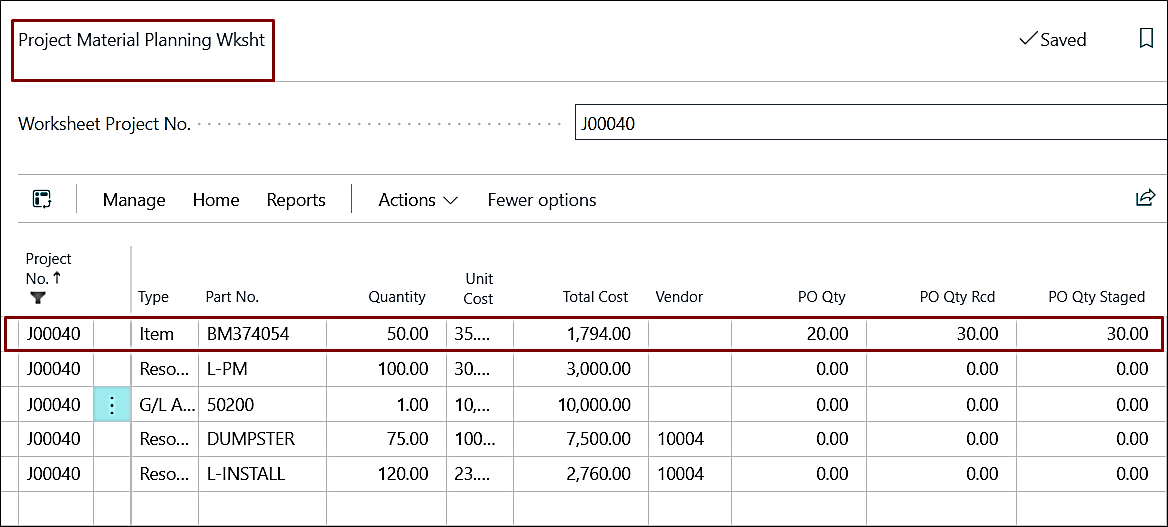
Flow Fields in the PMP worksheet had a filter on Buy-from Vendor No. Since the vendor was blank during planning line creation, the fields “Received” and “Staged” quantities were not displayed.
Flow Field filtering logic has been corrected to ensure “Received” and “Staged” quantities are displayed correctly, regardless of whether the vendor is assigned.
ADO-1828
Improvement – Sales Invoice via Progress Billing – Project Address Behavior
The system logic has been modified to prevent automatic modification of the “Ship-to Code” when the Project No. is updated on a Sales Invoice header when created using the base process. The Shipto Code will now remain unchanged unless explicitly modified by the user.
Earlier, it automatically updated the “Ship-to Code” if it existed on the Customer Card. This caused unintended changes to the shipping details.
ADO-1242
Improvement – Rev Rec – Dimensions Missing in Over/Under Billing Gen Journal Transaction
The Dimensions are now transferred to the Revenue Recognition Summary Details page from the project card, even though the “Forecast to Include Sub-Levels” is marked as True.
ADO-1794
Improvement – Aged Accounts Receivable by Project Report - Excel Layout
The “Print to Excel” feature for the Aged Accounts Receivable by Project report is now printing all details when the “Print Details” is turned on.
ADO-1911
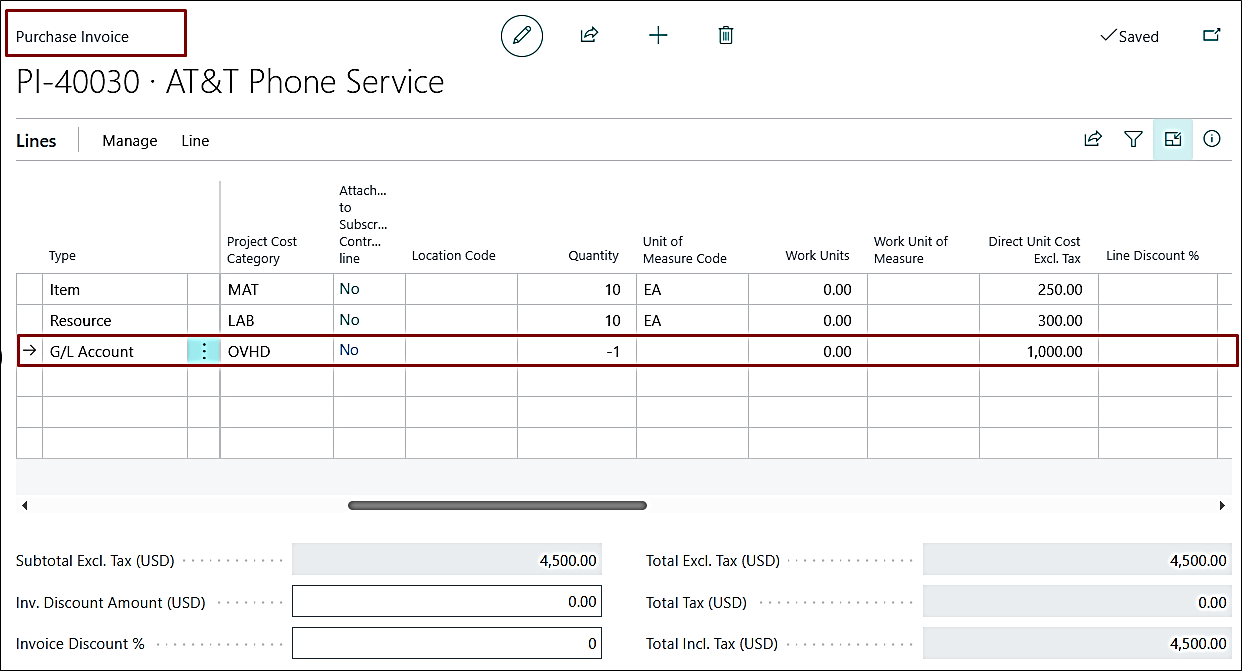
Improvement – Labor to G/L Batch Prevents Posting of Purchase Document with Negative Line
The system now allows posting of a Purchase Document when:
- A negative line is added as the last line.
- Payment Method Code is specified.
- Balancing Account No. is provided.
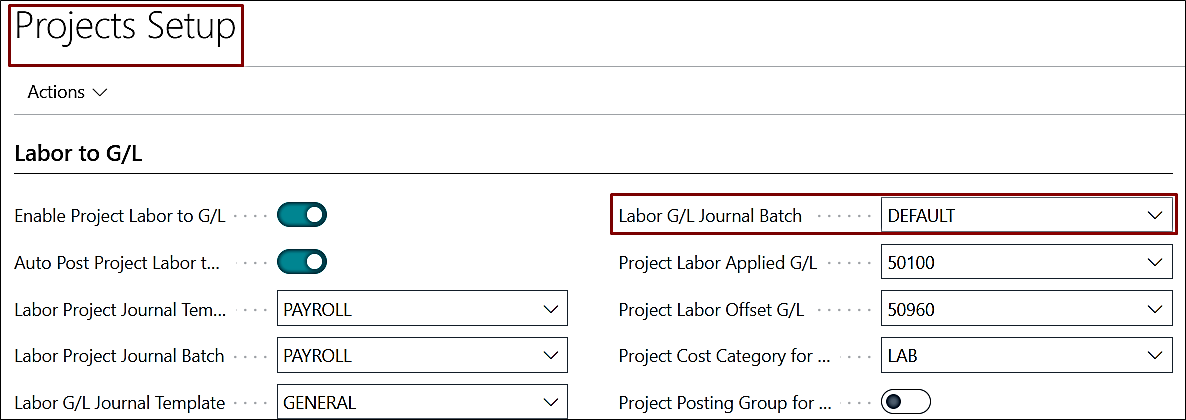
- “Labor G/L Journal Batch” on the Projects Setup is defined.
ADO-1694
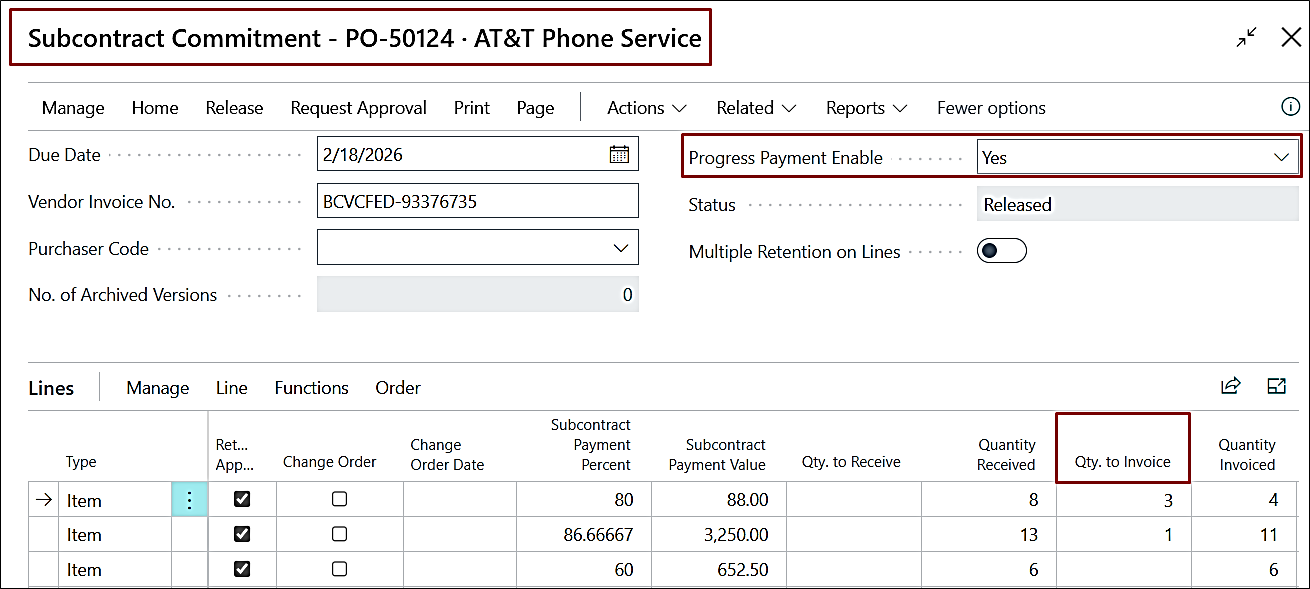
Improvement – Subcontract Commitment - "Qty. to Invoice" Cleared and Non-Editable after Receiving
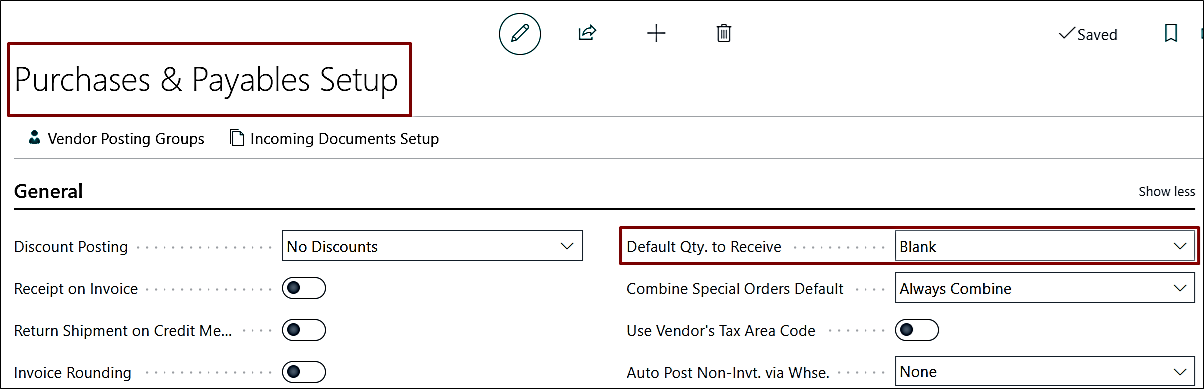
If the “Progress Payment” is enabled on the Subcontract Commitment PO, the “Qty. to Receive” field now remains editable even after receiving, enabling proper subcontract invoice posting.
This is specific when the “Default Qty. to Receive” in Purchase & Payables Setup is set to Blank, the following behavior occurred:
ADO-1971
Hot Fix – PO Posting with 0 Cost in Project Ledger
The purchase documents are posted to Project Ledger Entries with correct cost details.
ADO-2020
Improvement – Progress Payment Lines Description Blank for Existing Records
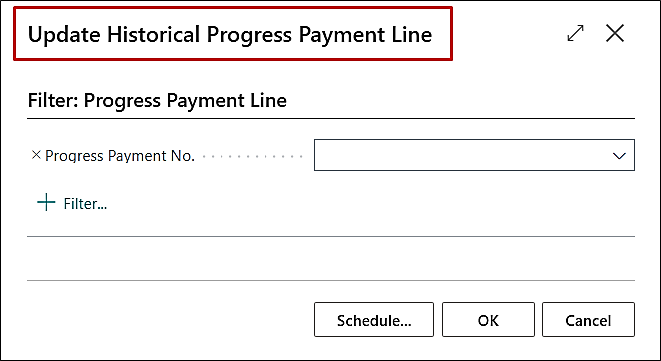
A batch process, “Update Historical Progress Payment Line”, has been created to update historical data to update the Line Descriptions in the Progress Payment Lines tab.
ADO-2051
Improvement – Page Close Conflict when Enabling Retention Document on Purchase Invoice – V27
When creating a Purchase Invoice and enabling the “Retention Document” option, the system displayed an error stating that the record is open and immediately closed the page automatically. The validation and page-handling logic have been corrected.
ADO-2054
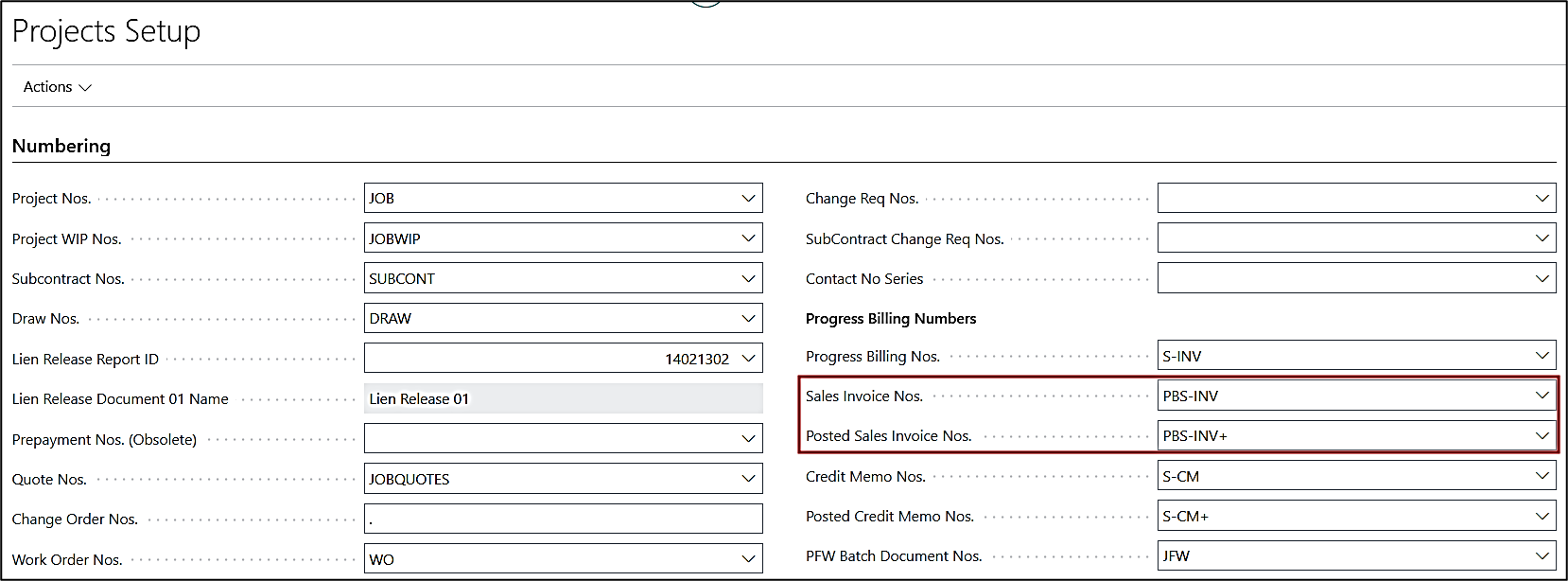
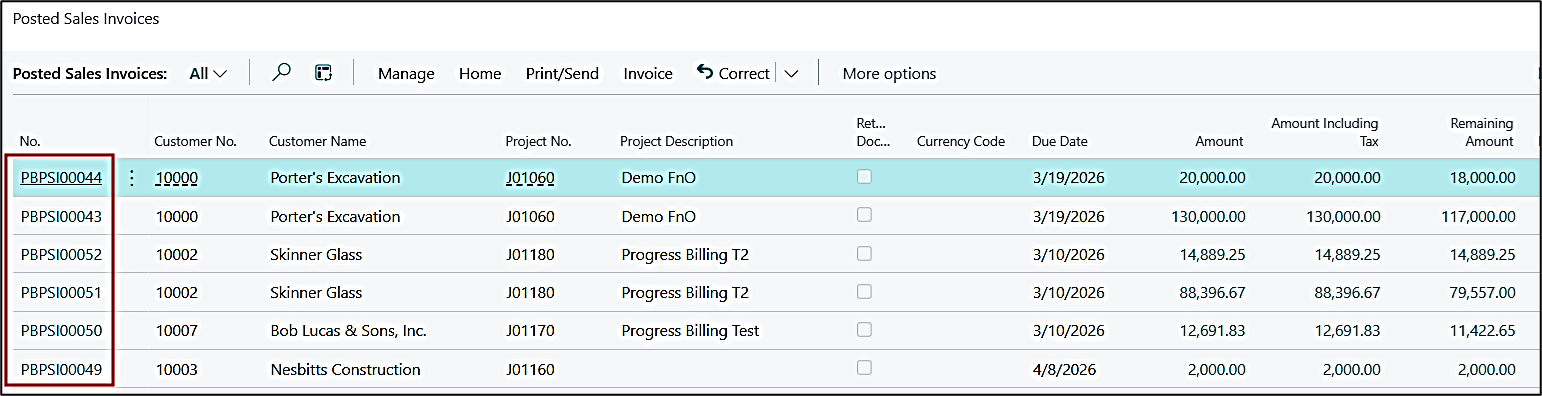
Improvement – Progress Billing Posted Sales Invoice No. Series
The progress billing sales invoice and posted sales invoices number series are now prioritised based on the Projects Setup and then the Sales & Receivables Setup.